

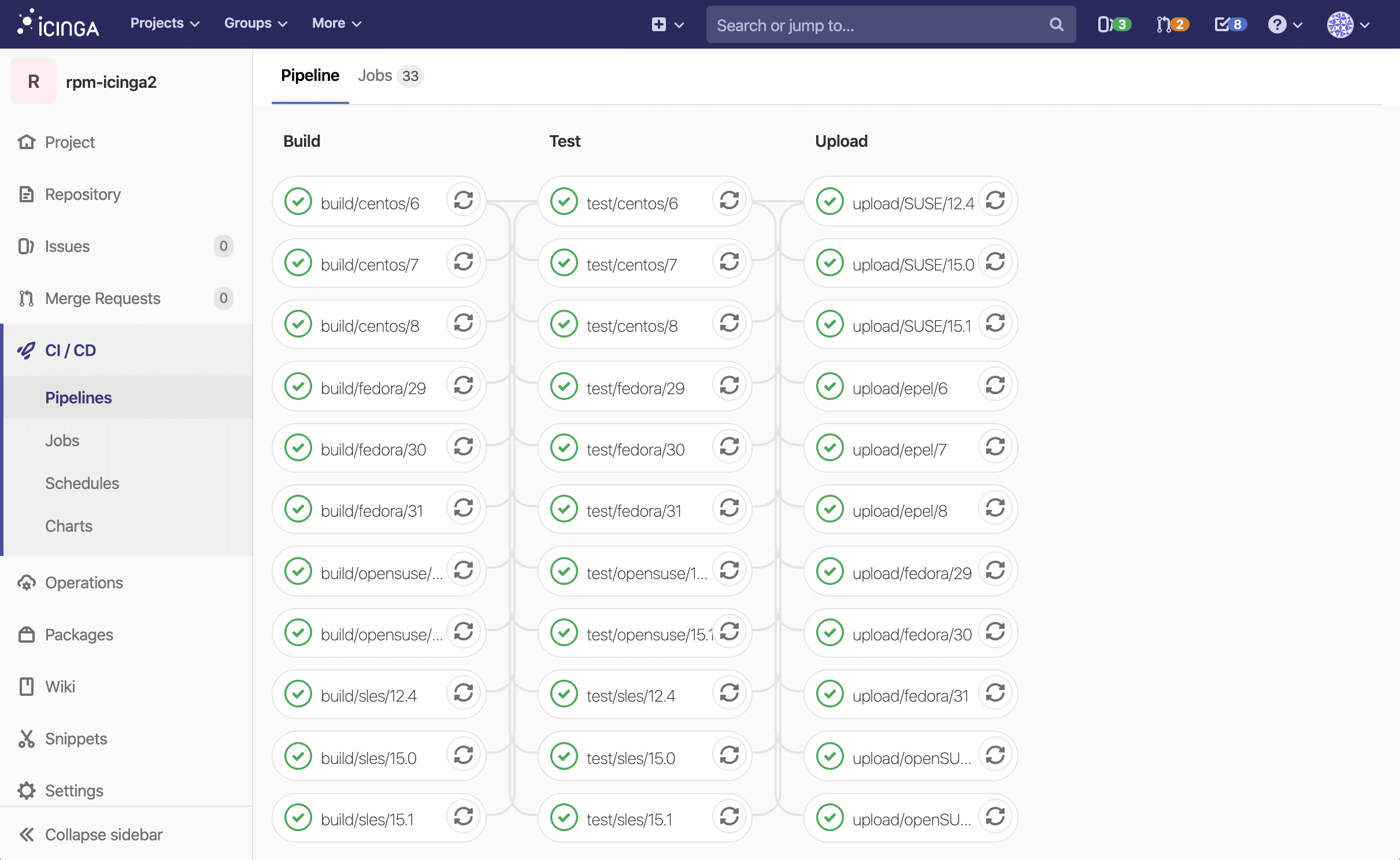
Have you ever wanted to execute a GitLab-CI job for multiple operating systems and just copied every line of YAML multiple times?
Anchors, extends and hidden keys are coming to rescue!
Let’s say you have two jobs and the only difference between them being a single environment variable:
stages:
  - echo

echo-hello:
  stage: echo
  script:
    - echo $ECHO_TEXT
  variables:
    ECHO_TEXT: "Hello world!"

echo-bye:
  stage: echo
  script:
    - echo $ECHO_TEXT
  variables:
    ECHO_TEXT: "Bye bye!"
Anchors and extends
Writing the same job two times can already get quite messy and hard to maintain. The more jobs you add, the worse it gets.
But don’t worry, YAML has got you covered. Anchors and extends let you reuse parts of your config and extend on them.
In this example, we create the echo-hello job and extend on it in the echo-bye task:
stages:
  - echo

echo-hello: &echo #create an anchor named "echo"
  stage: echo
  script:
    - echo $ECHO_TEXT
  variables:
    ECHO_TEXT: "Hello world!"

echo-bye:
  <<: *echo #use the anchor created above and extend it by using "<<"
  variables:
    ECHO_TEXT: "Bye bye!"
Templating with hidden keys
One thing you can do to further improve on that is, by using a separate task just for templating using hidden keys.
Hidden keys can be defined in YAML using a . in front of a keys name. This prevents GitLab-CI from executing a job and allows us to use it as a template.
In our last example, we create an echo template job containing our stage and script. The echo job is then extended on in echo-hello and echo-bye:
stages:
 - echo

.echo: &echo #keys (jobs in this case) with a dot in front are hidden keys and won't be executed by GitLab
  stage: echo
  script:
    - echo $ECHO_TEXT

echo-hello:
  <<: *echo
  variables:
    ECHO_TEXT: "Hello world!"

echo-bye:
  <<: *echo
  variables:
    ECHO_TEXT: "Bye bye!"
Some real world examples can be found in our public Icinga 2 packaging repositories: https://git.icinga.com/packaging/rpm-icinga2
Working with GitLab and want to improve your pipeline structure or automation? Reach out to our team – we’re happy to advise you based on real project experience.


























0 Kommentare